
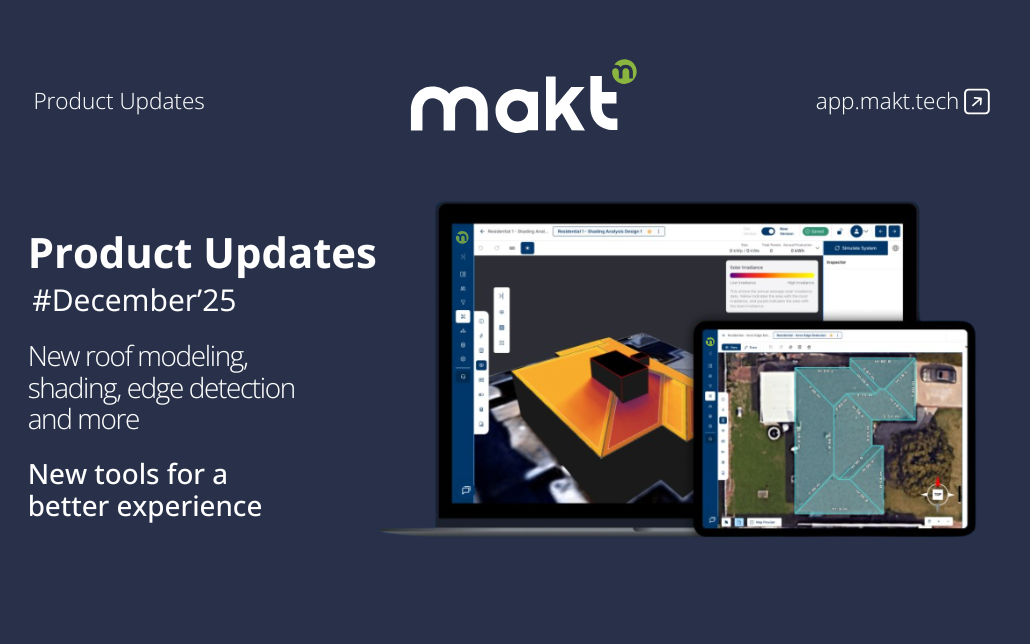
We’re continuously enhancing the Makt ecosystem to give solar installers faster design workflows, more accurate modeling, and greater flexibility when creating proposals. With the December 2025 Update, we are introducing Site Modeling v2, one-click shading analysis, inner edge detection, localized proposal preferences, fully customizable proposal layouts, and a streamlined contact and lead import export flow.
New Updates:
Site Modeling v2: Build roof models faster and with higher precision using the upgraded Site Modeling experience. Duplicate surfaces, move elements freely, adjust heights, and recreate complex structures with complete control. With unlimited revisions, you can refine and reshape your model in any direction until it matches the exact roof layout you need.
Site Modeling V2
Inner Edge Detection: For roofs with chimneys, dormers, or internal recesses, the system now automatically analyzes geometry and generates the internal angle bisectors and cut lines. This produces clean, accurate inner edges without manual trimming—making complex roofs significantly quicker to model.
Shading Analysis: Run shading analysis instantly on any project. The system evaluates annual irradiation for the selected location and displays performance results for each roof facade using a clear, color-coded visualization.
Proposal Preference Locale: Create and save multiple proposal preference sets in any language you need. Each set can be fully customized, including template layout, content blocks, language, units and currency formatting. Switch between regions or customer types instantly and generate proposals tailored to the exact locale.
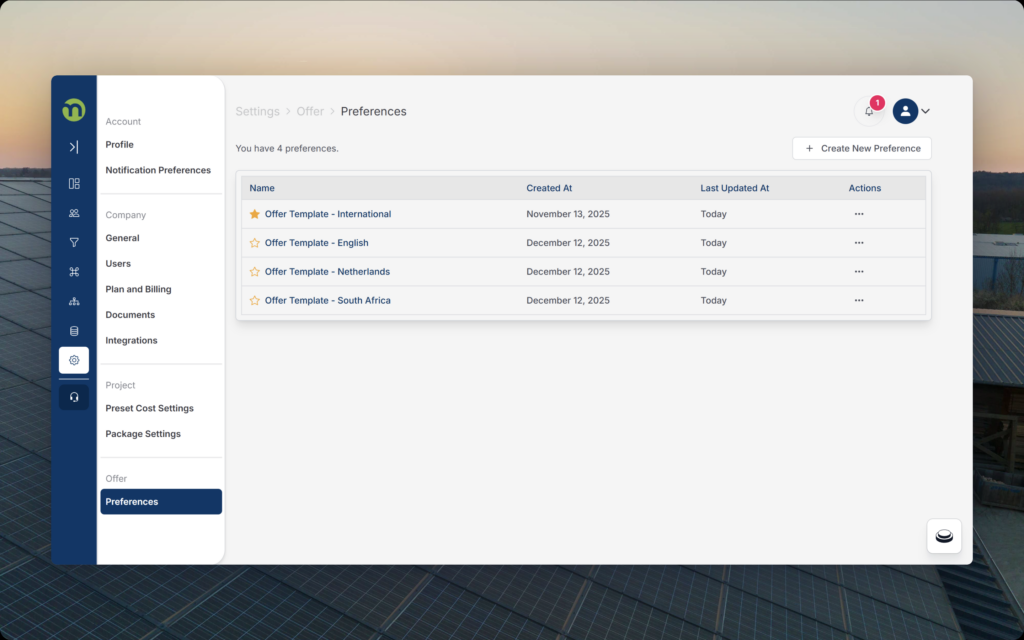
Proposal Preferences
Proposal Content Customization: Take full control over proposal structure. Reorder sections with drag-and-drop, choose which blocks appear, and fine-tune layouts to match your sales flow. When generating a proposal, you can still customize that specific document individually—showing or hiding sections as needed for each customer.
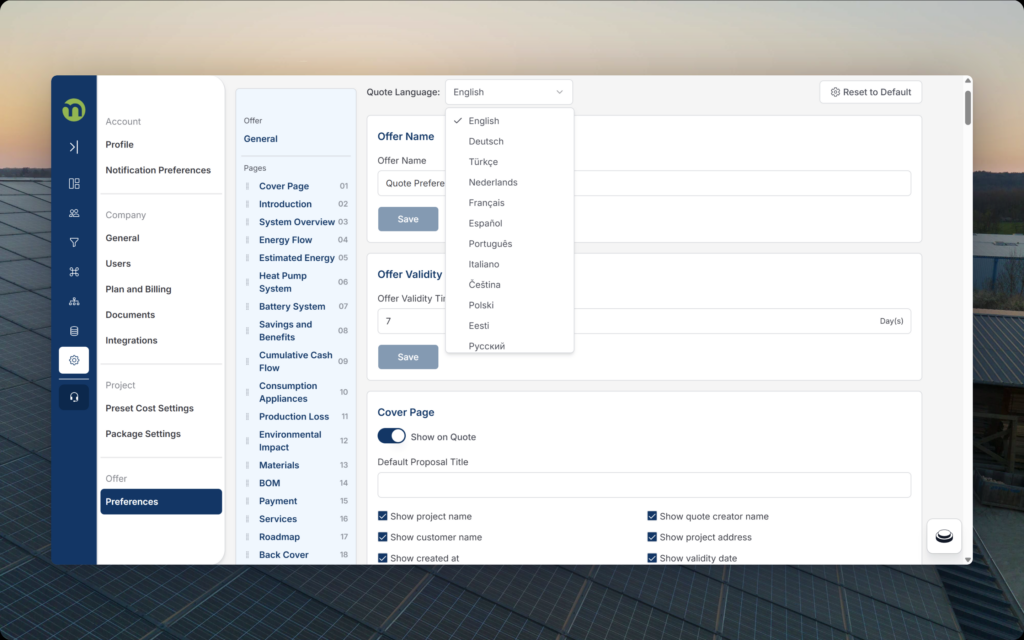
Proposal Preference Customization
Contact & Lead Import/Export: Manage customer data more efficiently. Import spreadsheets with cleaner field mapping, better validation, and enhanced duplicate checks to maintain accurate records.
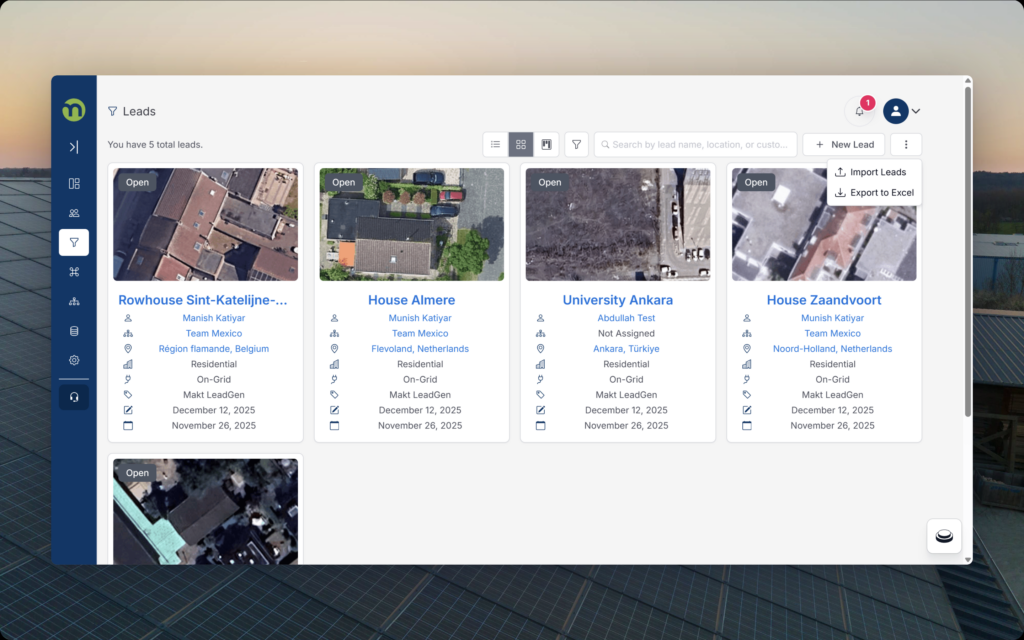
Import/Export
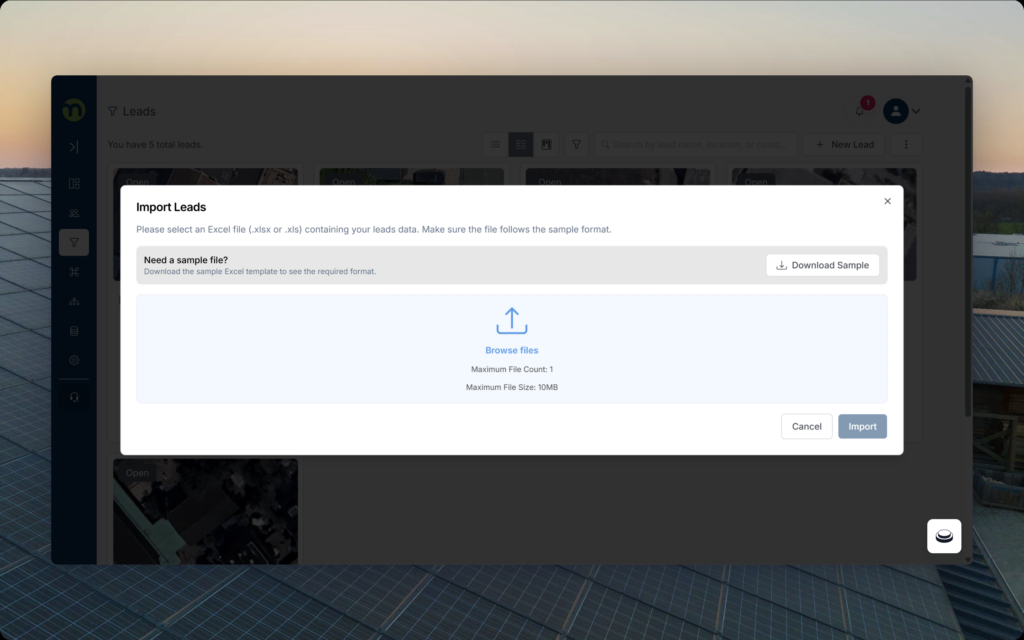
Importing Leads/Contacts
Detailed Information Entry in BoM: Decide exactly which financial details appear in your proposals. In the Bill of Materials, you can choose for each active material whether to show or hide its information, unit price, VAT, discount rate, item level discounts or other related components, giving you full control over what customers see.
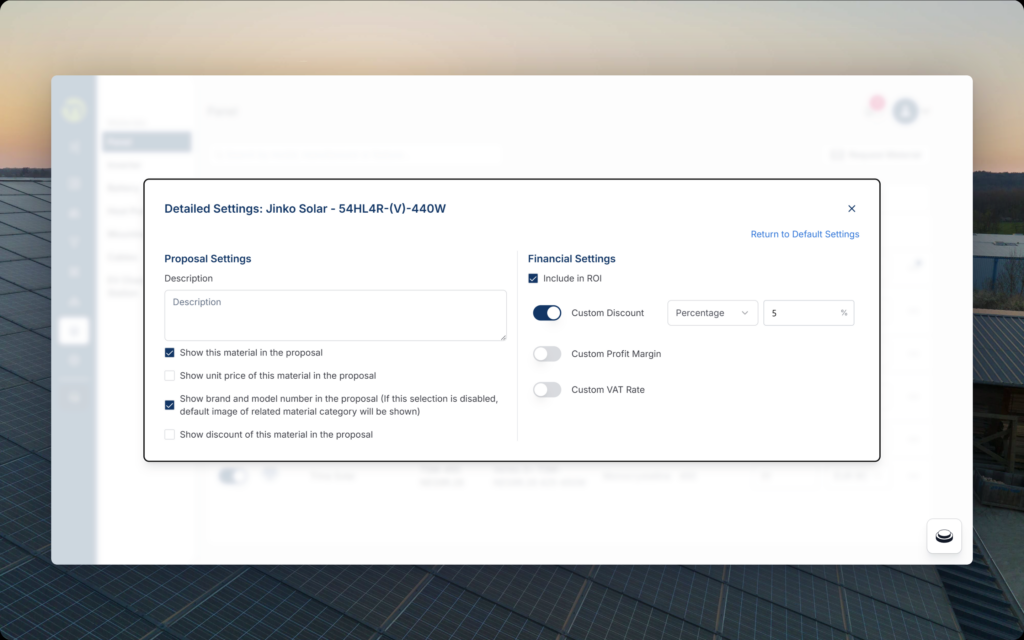
Detailed Material Settings